Turn your Android into a Wi‑Fi TV remote with motion and voice
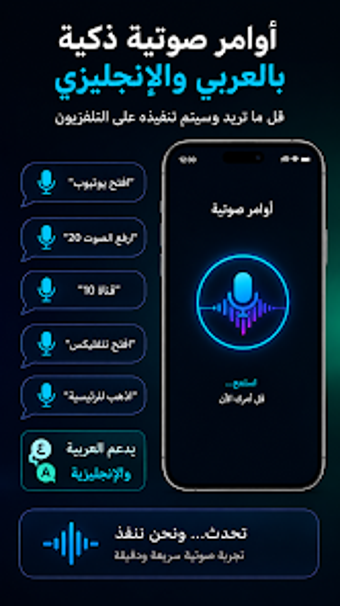
Future TV Remote Control by Future.tech turns an Android phone into a multifunction remote, ideal for users who misplace physical remotes. It controls Smart TVs over Wi‑Fi and provides touchpad navigation, an air‑mouse motion cursor, voice input and an in‑app keyboard for typed entry. The app also supports screen mirroring, media casting and a floating overlay for quick access while using other mobile programs, aimed at streaming-focused TV owners.
How the app replaces a missing physical remote
The app scans the local network and pairs with compatible Smart TVs, then exposes several navigation modes for direct control. Touchpad mode maps finger movement to a cursor, while the air mouse uses motion to move a pointer. The interface also exposes an app launcher and an in‑app keyboard so users can start installed TV apps and enter text without navigating the TV's on‑screen keyboard.
What it does to home network and device resources
Screen mirroring and media casting transmit audio and video across the shared Wi‑Fi network, so these features use local bandwidth while active. The floating overlay stays on top of other mobile programs for uninterrupted control without switching apps. The air‑mouse relies on the phone's motion sensors for pointer input; these behaviors are driven by network and device capabilities rather than an infrared transmitter.
Is it safe to use on a home network?
Connection requires both smartphone and TV to be on the same wireless network and the app performs a device scan to pair with compatible televisions. Users highlight accurate voice recognition and the floating remote as reliable input methods. Because control happens over the local network, pairing on a trusted home Wi‑Fi is the prudent practice to keep TV controls limited to household devices.
Can non-technical users operate it without specialist skills?
The interface is described as clean and modern, and the floating remote provides quick access for casual viewers who mainly use streaming apps. The in‑app keyboard and app launcher reduce on‑screen navigation chores that otherwise require the TV remote. Advanced users can use air‑mouse motion input and the touchpad for finer control. Setup involves a network scan and pairing, so typical Smart TV owners can begin use without specialist preparation.
Practical choice for streaming households, with a local‑network constraint
Future TV Remote Control is a practical option for Smart TV owners who prefer phone-based control and easier text entry from a mobile keyboard. Its dependence on a shared local network constrains use to the same home network, so pairing should be completed on a secure Wi‑Fi before regular use. Best suited to single‑network households. Recommended.